Integrate your NIST SP 800-53 workflow.

Tailored for the ISSO, ISSM, and SCA

with Admin Tools for the SA

Manage/generate artifacts, track inventory, integrate SIEM, AV, and Vuln Scanner, and much, much more.

Export everything to your organization and SCAs.

Full air-gapped support
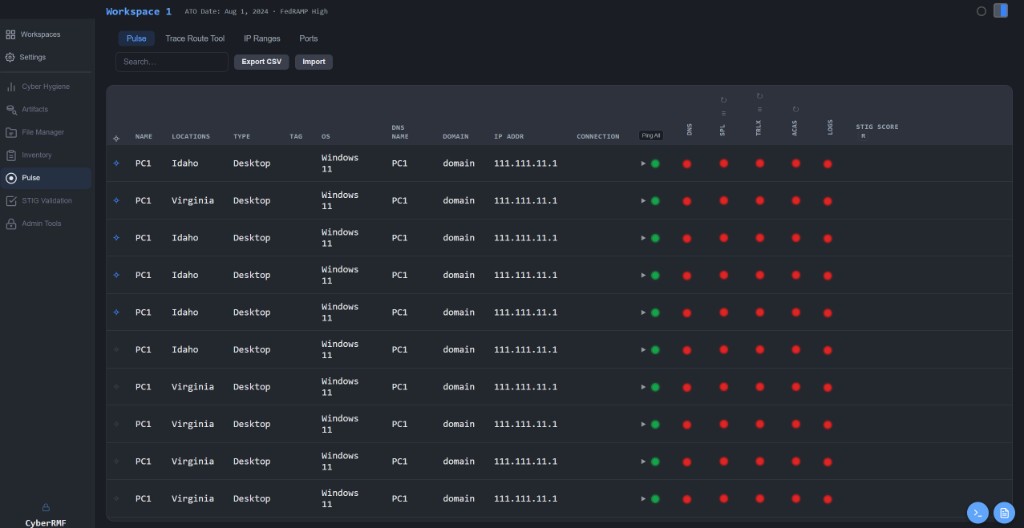
CyberRMF Integrate — Pulse Dashboard

Connect Integrate to SIEM, AV, and Vuln APIs to compare your health against your inventory

01Create / Import a Workspace

Create or Import an existing workspace to locally save all files related to the network.

Create a Workspace

02Manage All NIST SP 800-53 Artifacts

Upload .doc, .pdf, .xlsx, or .csv to view all your artifacts in our native viewer.

Easily reference all preloaded NIST Publications related to 800-53 alongside your RMF package.

No more hassle with reorganizing a shared drive or standardizing.

File Manager Artifacts and Publications

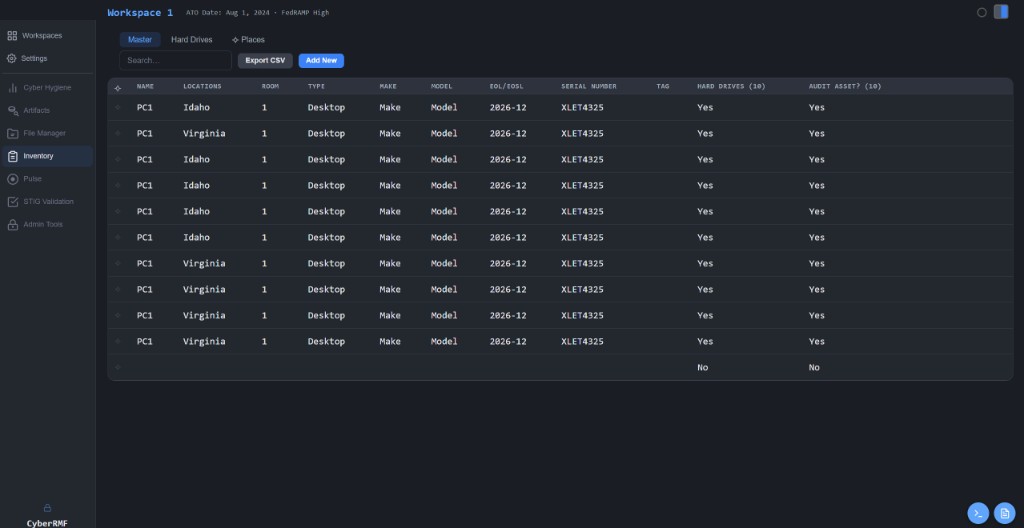
03Inventory

Intuitive Inventory database. You may select which devices need to be audited for compliance. Once selected, that item will be copied to Pulse.

Inventory Master Table

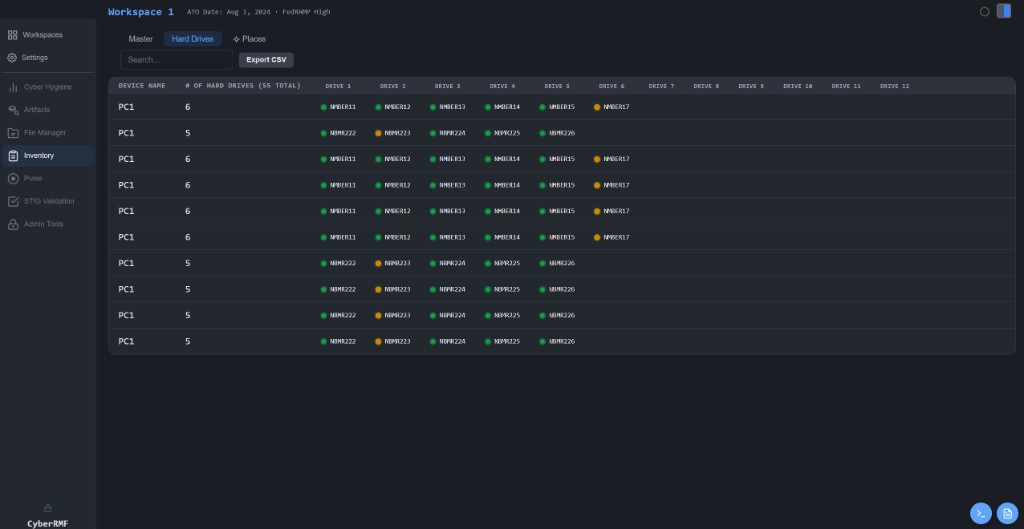
Hard Drive Tracking

Track Hard Drive statuses — are they in storage or in the asset?

Hard Drive Tracking

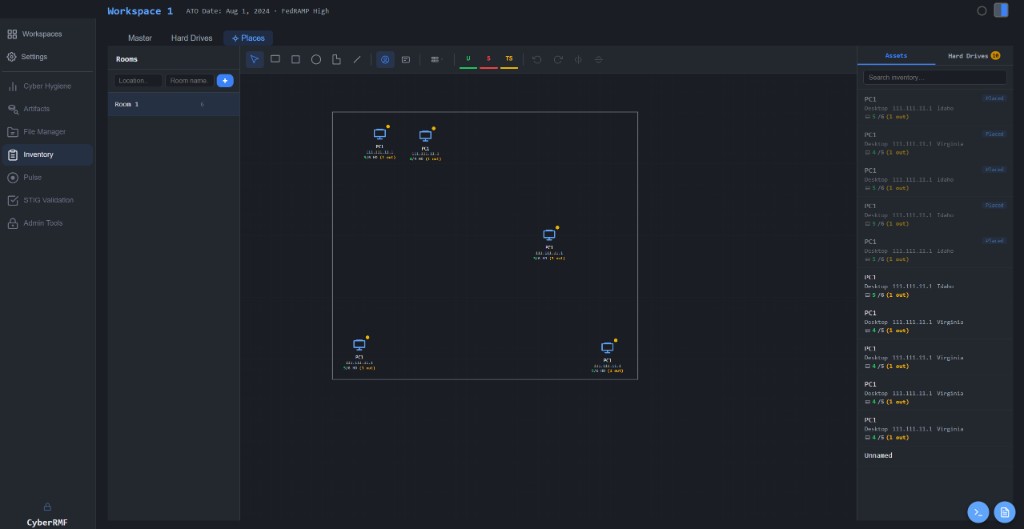
Places

Drag and drop assets into a floorplan. Select the asset name in Inventory to transport to that asset's location.

Places — Floor Plan

04Pulse

Integrate your SIEM, AV, Vulnerability Manager, and STIG results to see live connections between your inventory.

See last reported, AV definition dates, Vulnerability scan results, and verify logs.

Pulse Dashboard

05STIG Validation

Drag-and-drop STIGs for an easy experience. Shows previous and new % after completing checklist.

STIG Validation

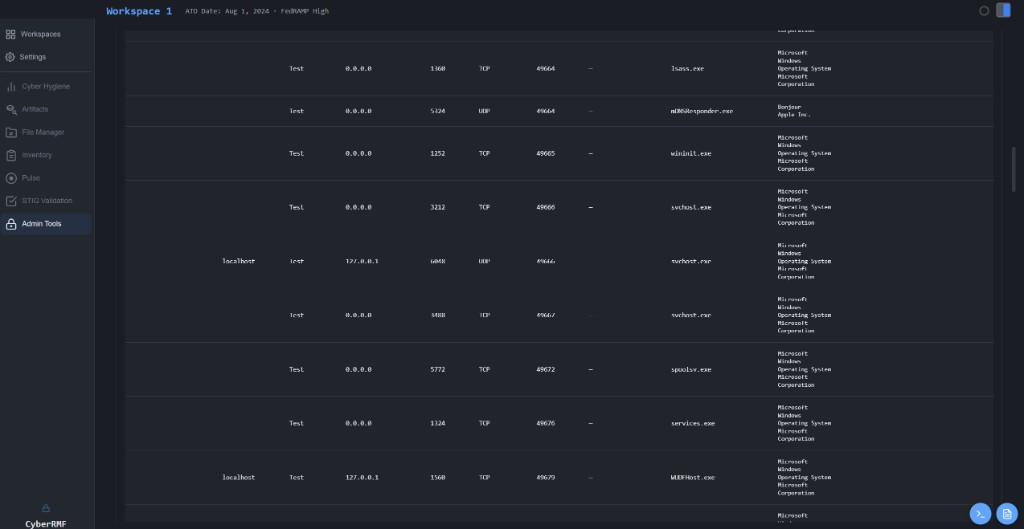
06Admin Tools

Generate a ports, protocols, and services artifact with a click of a button. Shows exactly what port is open, the service using it, the company associated to it, and the risk level of that service.

Admin Tools — PPS
  • Scan network for unencrypted devices
  • Active Directory lookup for an accurate user count
  • Verify all security-relevant logs are backed up
  • Parse all the software on every device in your network
  • Verify your DNS Name matches the name on your Inventory

07Cyber Hygiene

Consolidate all system information in your workspace for an intuitive and accurate sense of your environment.

800-53 Cyber Hygiene Dashboard

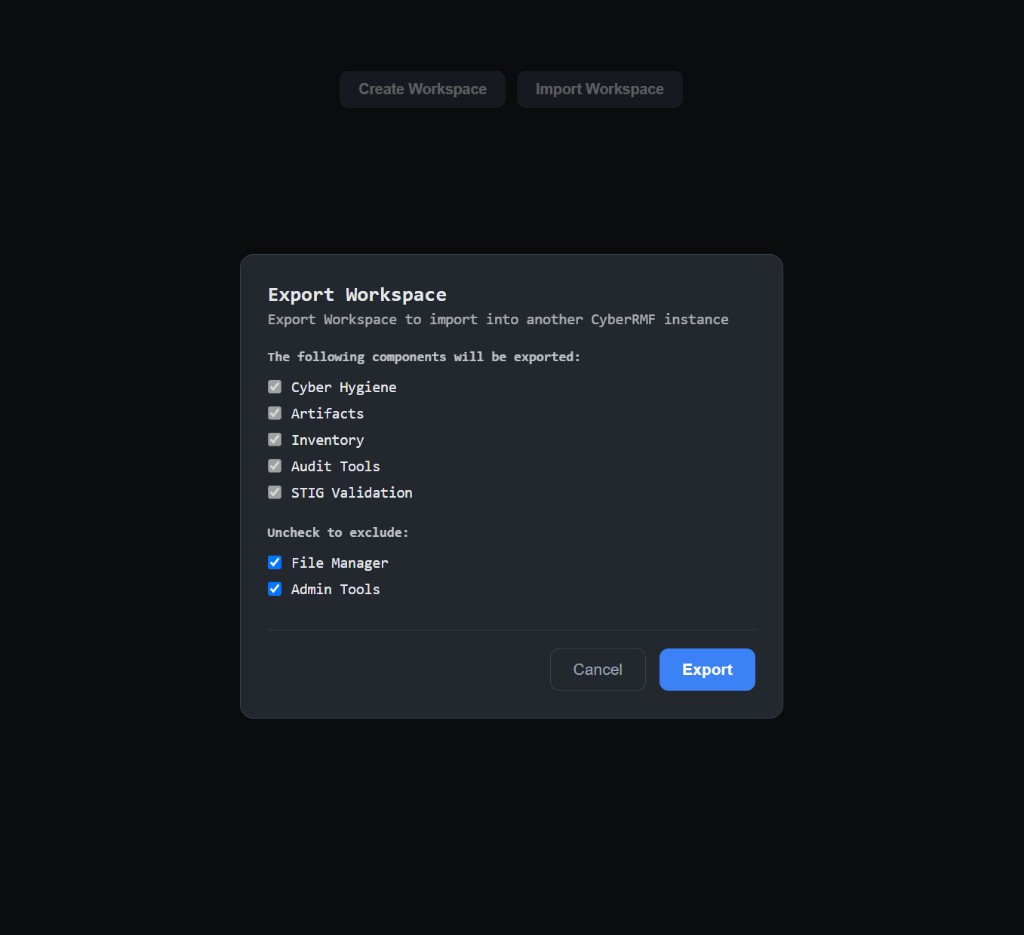
08Export

Export your workspace for a user to import.

Export Workspace
Separation of Duties
800-53 Cyber Hygiene Dashboard
Full statistics on entire workspace
Artifact Manager
Upload all RMF BoE
Native PDF, XLSX, and CSV viewer
SCTM builder
POA&M database
Change Management Tracker
HW/SW list Database
Native NIST Special Publications.
CONMON
Create weekly plans for the year
Reference SCTM on each control
Add controls to POA&M
Sign with CAC/PKI
Inventory Database
Stats on asset type
EOL Dates
Hard Drive Manager
Link to assets
Track hard drive use
Drag-and-drop floorplans
Track all locations
Drag and drop assets into floorplan
Click Inventory entry to teleport to physical location
Pulse
Import Inventory database
Ping all assets at once
Check DNS accuracy for assets
API integration for SIEM, AV, and Vulnerability Management
Last reported
DAT version
Vulnerability stats
Show # of logs backed up for each asset
Show STIG score for each asset
STIG Validator
Import STIG XCCDFs
Show new score after remediation
Generate a table with all scores for all assets
File Manager
Upload organization’s files
Two apps, one mission.
Admin Tools feeds scan data into Integrate for ISSO awareness.
Relevant data is populated into Pulse and Cyber Hygiene.