Integrate your NIST SP 800-53 workflow.

Tailored for the ISSO, ISSM, and SCA

with Admin Tools for the SA

Manage/generate artifacts, track inventory, integrate SIEM, AV, and Vuln Scanner, and much, much more.

Export everything to your organization and SCAs.

Full air-gapped support
CyberRMF Integrate — Pulse Dashboard

Connect Integrate to SIEM, AV, and Vuln APIs to compare your health against your inventory

01Create / Import a Workspace

▾

Create or Import an existing workspace to locally save all files related to the network.

Create a Workspace

02Manage All NIST SP 800-53 Artifacts

▾

Upload .doc, .pdf, .xlsx, or .csv to view all your artifacts in our native viewer.

Easily reference all preloaded NIST Publications related to 800-53 alongside your RMF package.

No more hassle with reorganizing a shared drive or standardizing.

File Manager Artifacts and Publications

03Inventory

▾

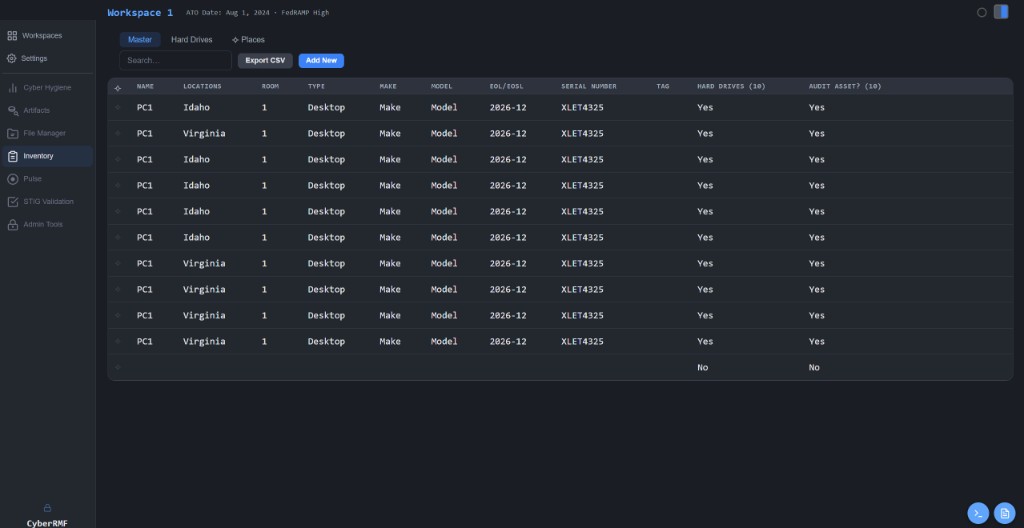
Intuitive Inventory database. You may select which devices need to be audited for compliance. Once selected, that item will be copied to Pulse.

Inventory Master Table

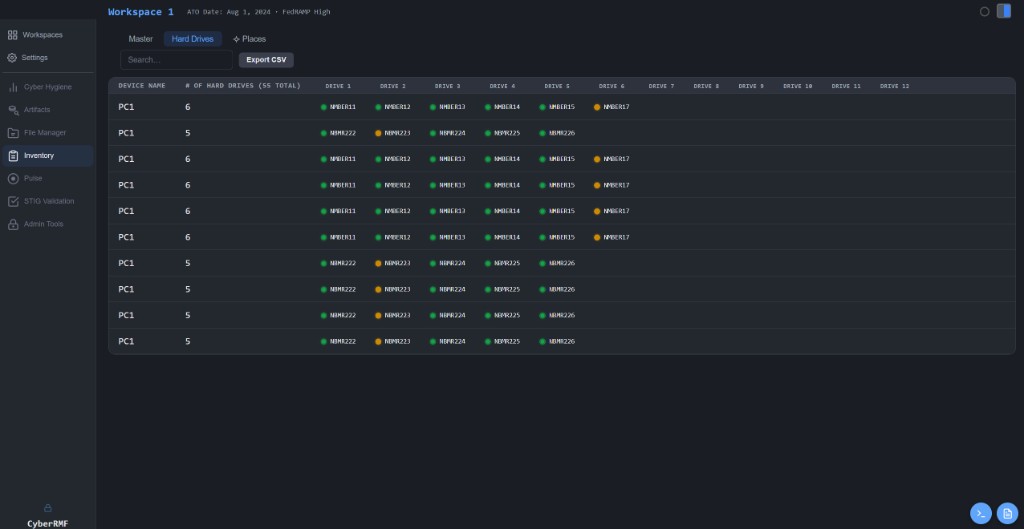
Hard Drive Tracking

Track Hard Drive statuses — are they in storage or in the asset?

Hard Drive Tracking

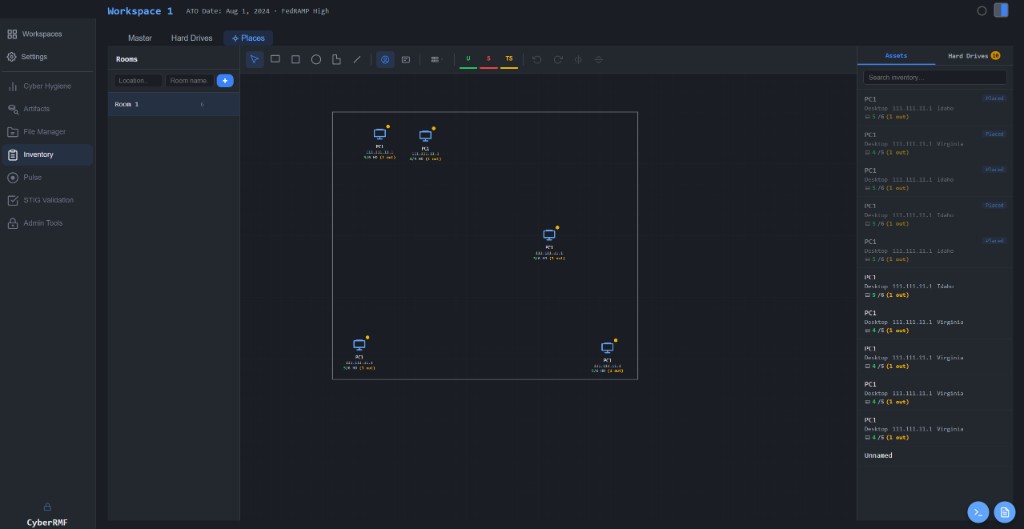
Places

Drag and drop assets into a floorplan. Select the asset name in Inventory to transport to that asset's location.

Places — Floor Plan

04Pulse

▾

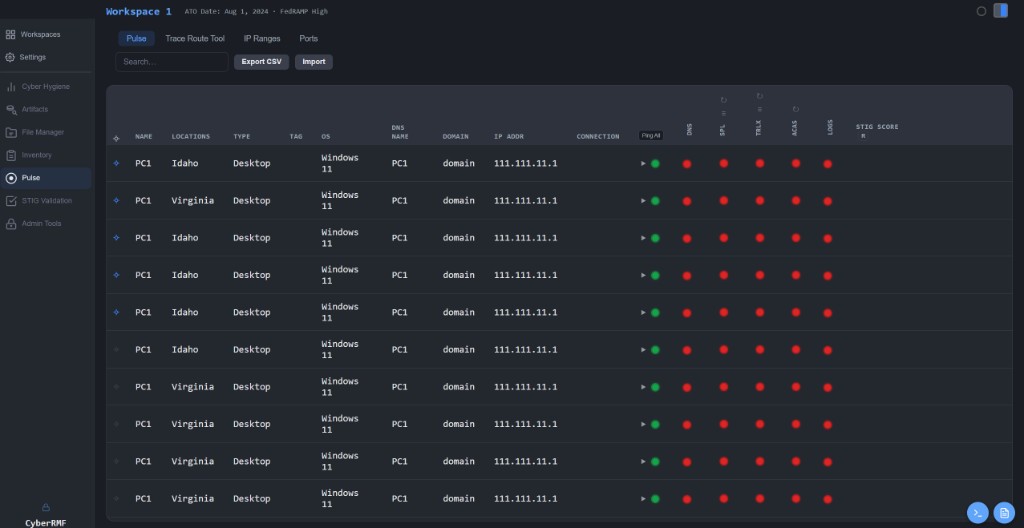
Integrate your SIEM, AV, Vulnerability Manager, and STIG results to see live connections between your inventory.

See last reported, AV definition dates, Vulnerability scan results, and verify logs.

Pulse Dashboard

05STIG Validation

▾

Drag-and-drop STIGs for an easy experience. Shows previous and new % after completing checklist.

STIG Validation

06Admin Tools

▾

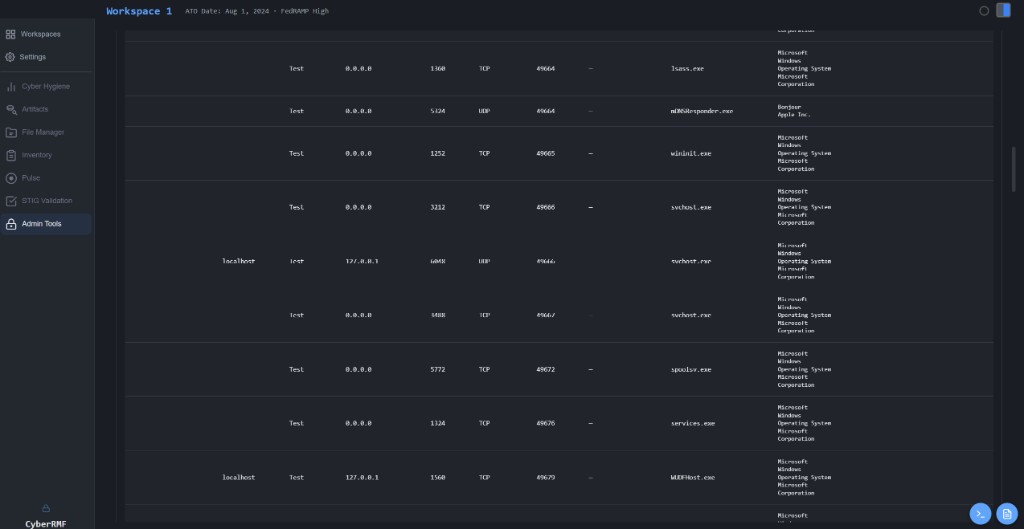
Generate a ports, protocols, and services artifact with a click of a button. Shows exactly what port is open, the service using it, the company associated to it, and the risk level of that service.

Admin Tools — PPS
  • Scan network for unencrypted devices
  • Active Directory lookup for an accurate user count
  • Verify all security-relevant logs are backed up
  • Parse all the software on every device in your network
  • Verify your DNS Name matches the name on your Inventory

07Cyber Hygiene

▾

Consolidate all system information in your workspace for an intuitive and accurate sense of your environment.

800-53 Cyber Hygiene Dashboard

08Export

▾

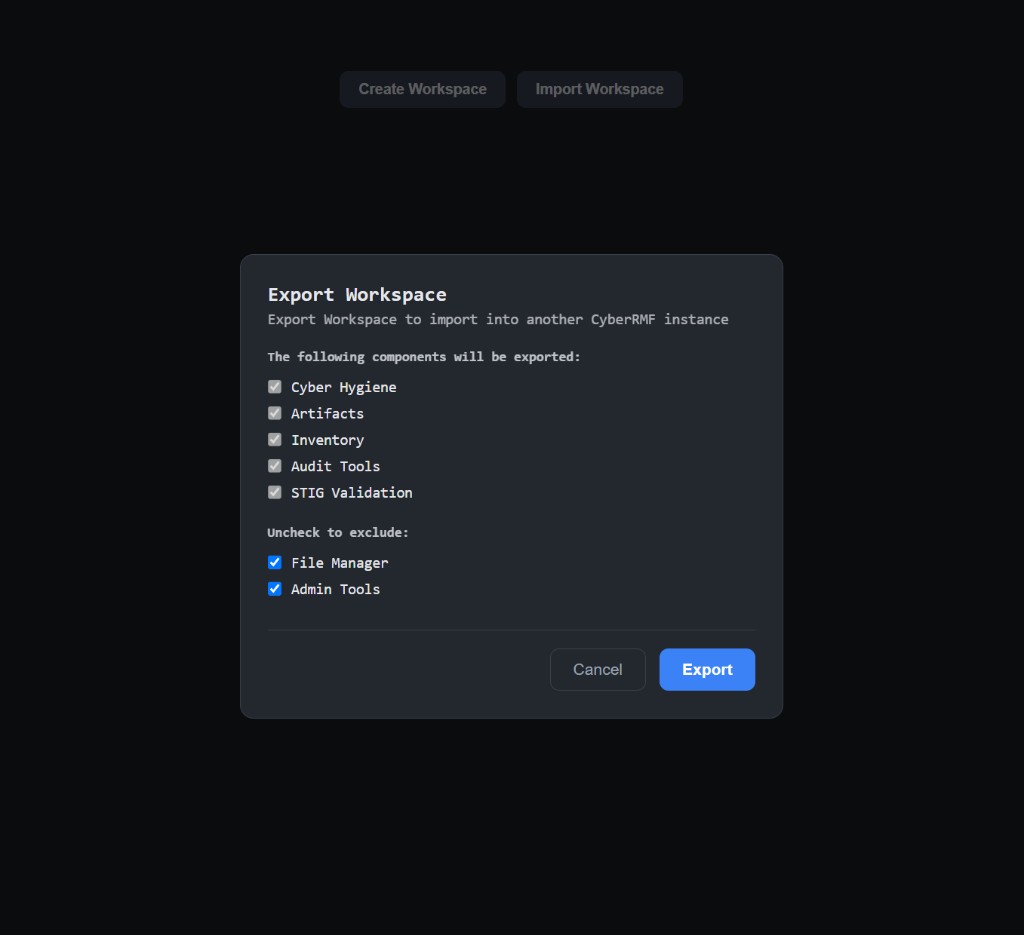
Export your workspace for a user to import.

Export Workspace
Separation of Duties
✓ 800-53 Cyber Hygiene Dashboard
✓ Full statistics on entire workspace
✓ Artifact Manager
✓ Upload all RMF BoE
✓ Native PDF, XLSX, and CSV viewer
✓ SCTM builder
✓ POA&M database
✓ Change Management Tracker
✓ HW/SW list Database
✓ Native NIST Special Publications.
✓ CONMON
✓ Create weekly plans for the year
✓ Reference SCTM on each control
✓ Add controls to POA&M
✓ Sign with CAC/PKI
✓ Inventory Database
✓ Stats on asset type
✓ EOL Dates
✓ Hard Drive Manager
✓ Link to assets
✓ Track hard drive use
✓ Drag-and-drop floorplans
✓ Track all locations
✓ Drag and drop assets into floorplan
✓ Click Inventory entry to teleport to physical location
✓ Pulse
✓ Import Inventory database
✓ Ping all assets at once
✓ Check DNS accuracy for assets
✓ API integration for SIEM, AV, and Vulnerability Management
✓ Last reported
✓ DAT version
✓ Vulnerability stats
✓ Show # of logs backed up for each asset
✓ Show STIG score for each asset
✓ STIG Validator
✓ Import STIG XCCDFs
✓ Show new score after remediation
✓ Generate a table with all scores for all assets
✓ File Manager
✓ Upload organization’s files
Two apps, one mission.
Admin Tools feeds scan data into Integrate for ISSO awareness.
Relevant data is populated into Pulse and Cyber Hygiene.